Connect your Server
The ShackConnect Server device is used to connect USB & LAN devices in your HAM shack (radios, rotators, ...) over the internet.
No advanced network configuration knowledge is needed. All you have to do is connect your Server to the internet with an Ethernet cable, and it will connect to the ShackConnect cloud automatically.
Prerequisites
Connect your server to the cloud
Go to the SERVERS page. (this is the default page after logging in). If you have an active license, your Server device will appear here.
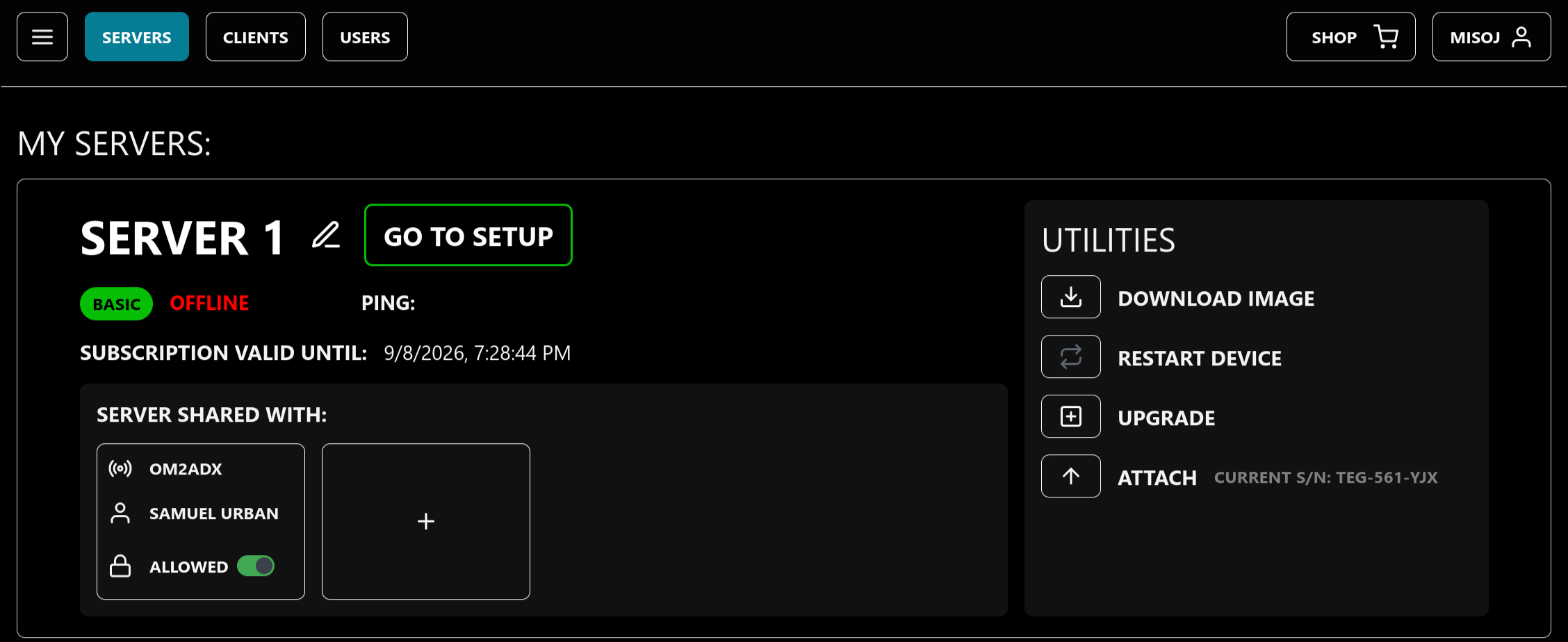
Check if the pre-configured device's S/N matches the one displayed in the application (next to the ATTACH / DETACH button).
The S/N of a purchased pre-configured device is printed on the bottom side. If it does not match the one displayed, you need to press the ATTACH button and enter your device's S/N. See attaching a device.
After confirming your Server device is attached to your account (preconfigured device) or flashed with the image downloaded from the device card (DIY device), connect it to the internet with an Ethernet cable and plug it into power supply. Wait for power-up (for DIY devices, this can take up to 2 minutes on first use).
After power-up, your Server device should be marked ONLINE in the application and the PING indicator should display the RTT latency between the browser and the Server (which should be < 10 ms on most local networks).